
How to choose where your articles go
Updated about 2 months ago
Browse All
SupportPages Writer can publish your finished articles to a SupportPages.io help centre, or save them as Markdown inside your project. You make that call once, when you set the project up — here's how to choose.
Before you start
-
SupportPages Writer installed on your computer (run
wtfm setuponce if you haven't yet). - A terminal open in your product's folder.
Steps
Start the project setup
Open a terminal in your product's folder and run the setup wizard:
wtfm init
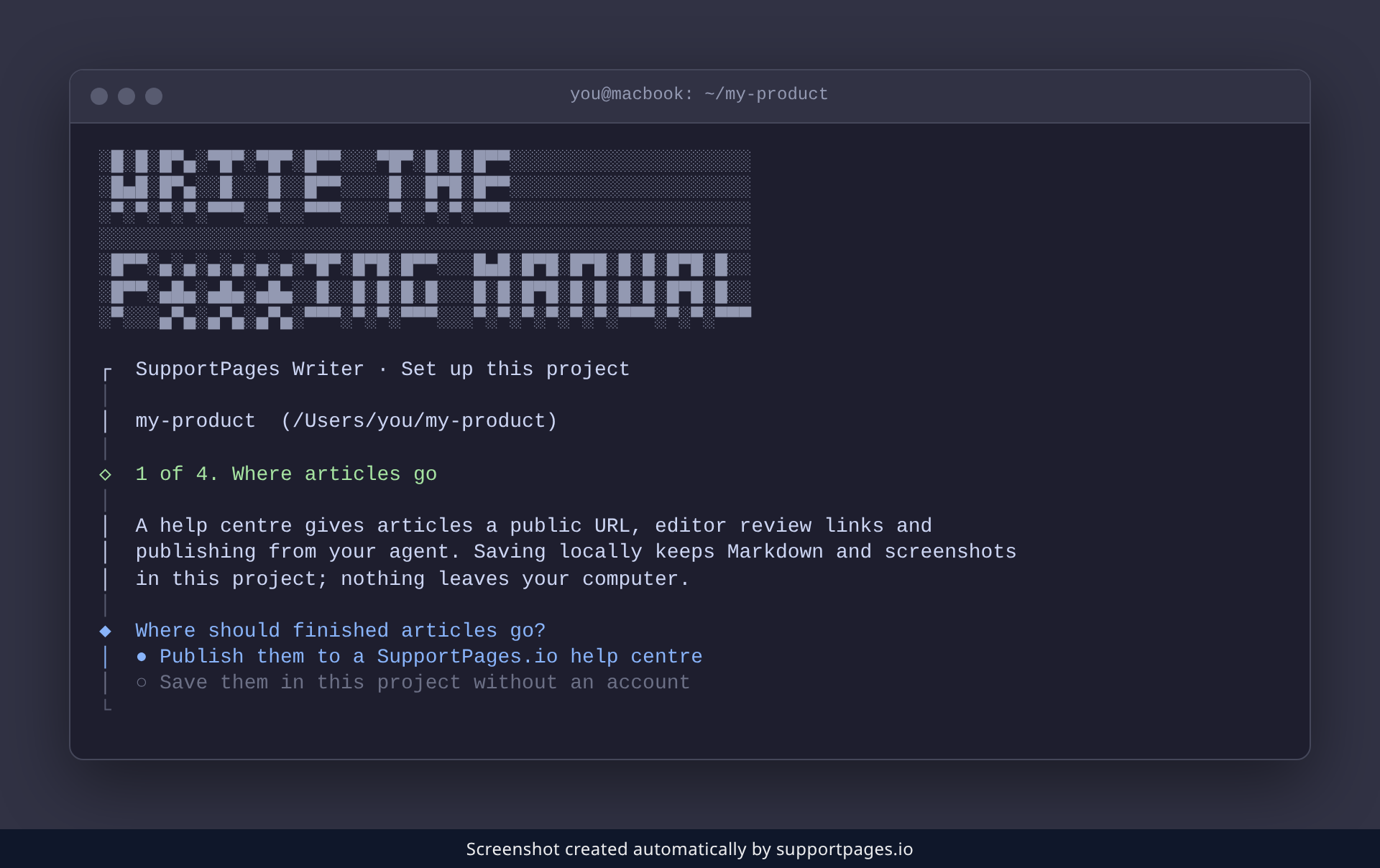
It checks the project, then asks where finished articles should go — that's the choice this guide is about.
Pick where your articles go
Weigh the two options the wizard offers. Choose Publish them to a SupportPages.io help centre if you want a public URL and editor review links. Choose Save them in this project without an account if you'd rather keep Markdown and screenshots on your own computer.
If you publish to a help centre
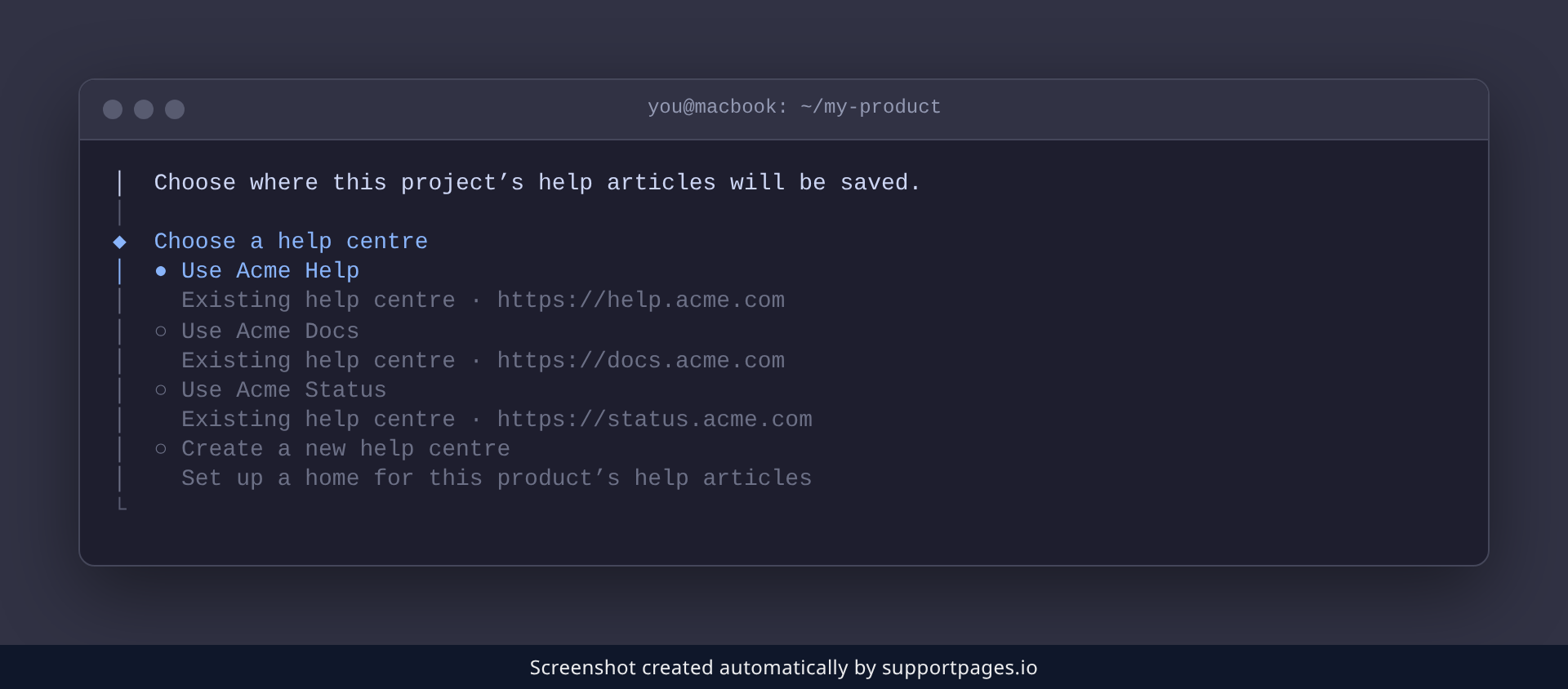
Pick the help centre option and SupportPages Writer signs you in if needed, then asks which help centre this project should use. Choose an existing one, or pick Create a new help centre to start a fresh home for your articles.
If you save articles in the project
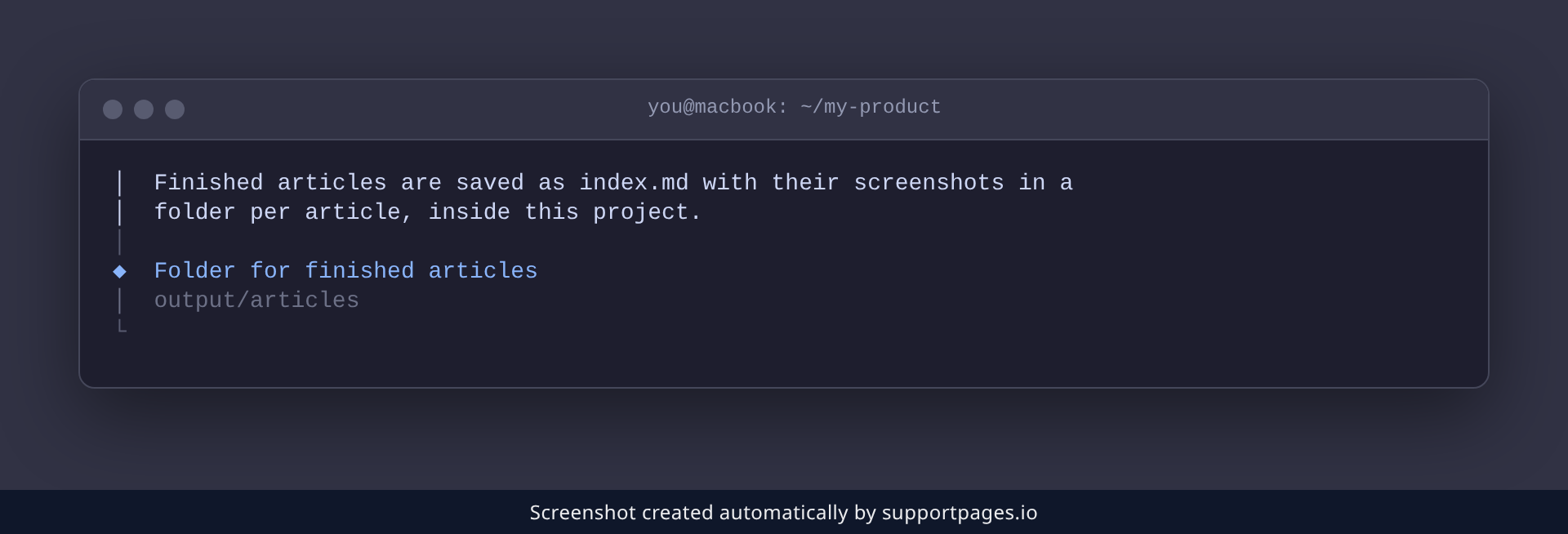
Pick the local option and SupportPages Writer asks which folder to keep your articles in. Type a folder inside the project, such as docs/help, or press Enter to accept output/articles.
Tips
-
Changed your mind later? Run
wtfm publishto upload the articles you've already saved to a help centre. -
Run
wtfm statusany time to check where this project's articles are going.
Summary
You choose your project's destination once, during wtfm init: publish to a SupportPages.io help centre, or save Markdown and screenshots inside the project. Either way, the wizard finishes setting the project up for writing.
Was this article helpful?
Built with supportpages.io — an AI documentation generator.
Have a question?
Search our articles, or ask and get an answer straight away.