
How to choose a writing style
Updated about 2 months ago
Browse All
Every article WTFM writes for a project follows one writing style — the tone of voice your reader hears. Pick friendly, minimal, technical, or formal once, and every guide from this project sounds the same way.
Prerequisites
-
WTFM set up on your computer with
wtfm setup. -
This project set up with
wtfm init, so it knows where its articles go. - A terminal open in your project folder.
Steps
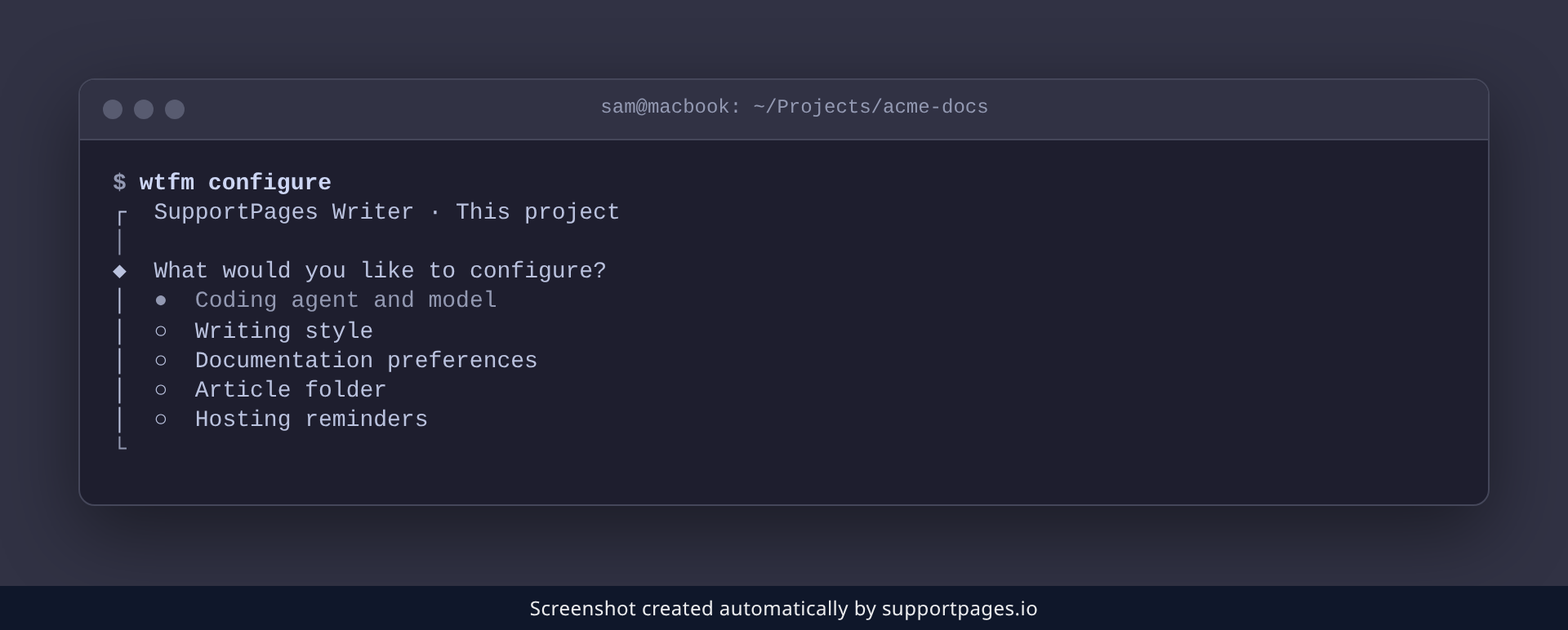
Open the configure menu
In your project folder, run:
wtfm configure
From the menu that appears, choose Writing style.
Pick the style you want
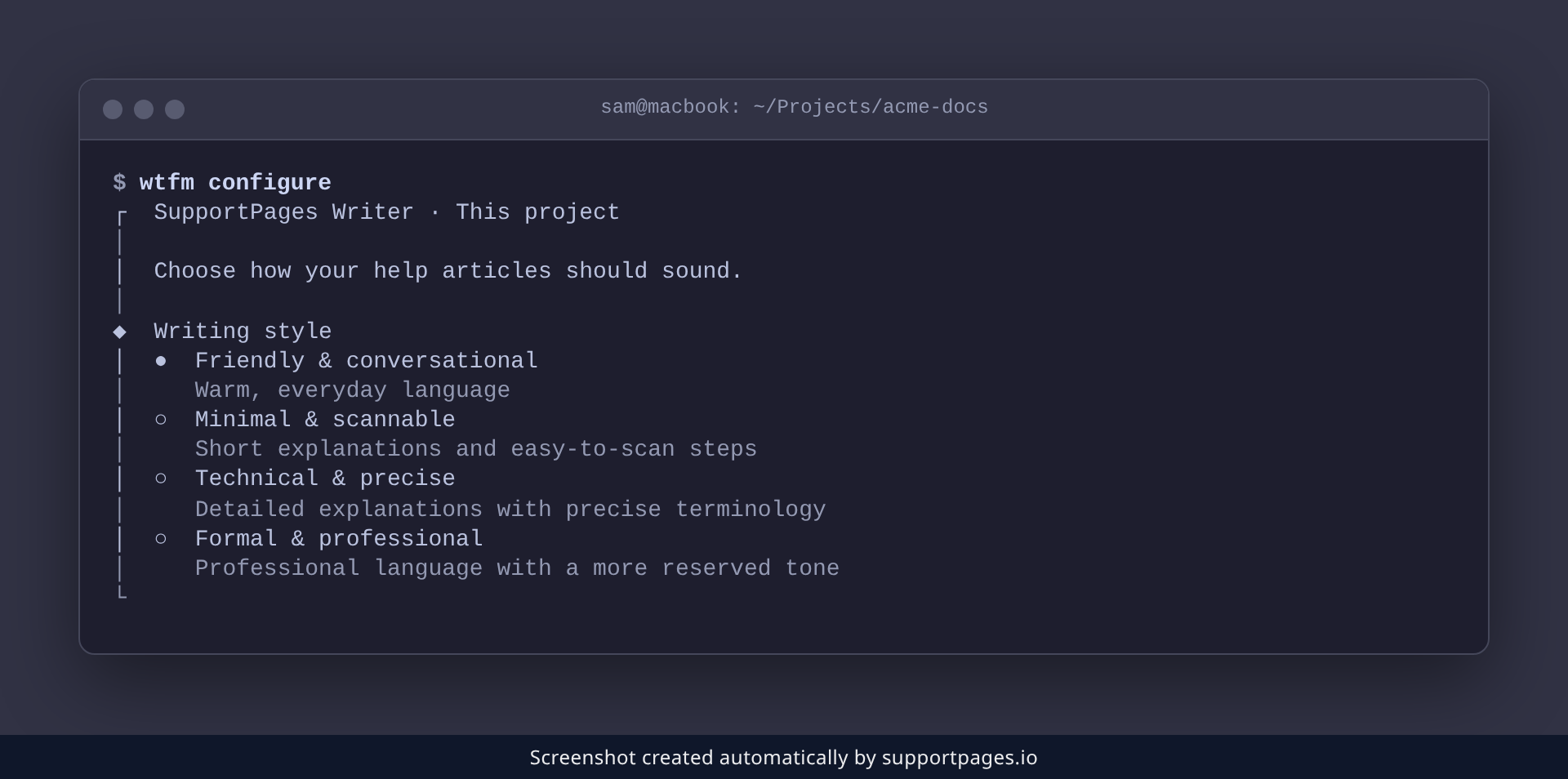
WTFM shows the four styles with a one-line description of each. Move to the one you want and press Enter — your choice is saved for this folder right away.
The four styles
- Friendly & conversational — Warm, everyday language.
- Minimal & scannable — Short explanations and easy-to-scan steps.
- Technical & precise — Detailed explanations with precise terminology.
- Formal & professional — Professional language with a more reserved tone.
Tips
- Your style applies to every article this project writes, so you set it once rather than guide by guide.
- If you already have a custom style set on SupportPages.io, the menu adds Keep current custom style at the top so WTFM leaves it as-is.
-
Change your mind any time by running
wtfm configureagain and choosing Writing style.
Summary
Run wtfm configure, choose Writing style, and pick the tone you want. Every article this project writes from then on sounds the way you chose.
Was this article helpful?
Powered by supportpages.io — help centre software for SaaS.
Have a question?
Search our articles, or ask and get an answer straight away.