
An article stopped halfway — how to resume it
Updated about 2 months ago
Browse All
An article can stop before it is finished: your agent's turn ended, the terminal closed, or the writer hit a problem. WTFM keeps the run saved, so you can pick it up where it left off instead of starting again.
Before you start
- Your coding agent (Claude Code or Codex) open in the project folder.
-
A terminal open in the same folder, set up with
wtfm init.
Checks and fixes
See where it stopped
In your project folder, run wtfm status. Look at the article_run block: the phase tells you whether the run is still writing or has stopped, and the run_id identifies the run to resume.
wtfm status
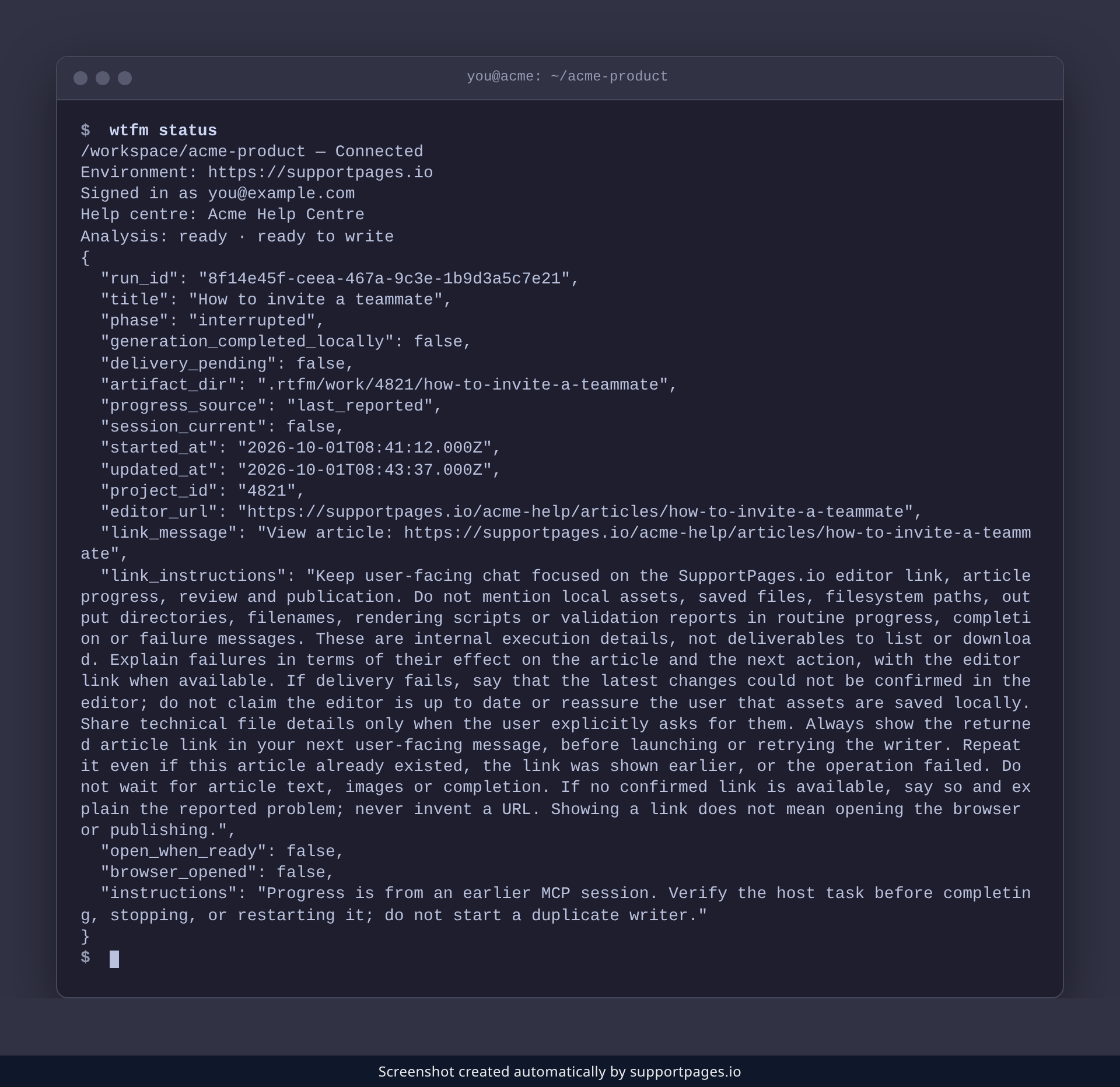
Ask your agent to continue
Open your coding agent in the project folder and ask it to continue the interrupted article. The agent reads the saved run and resumes the same one — same title, same output folder — instead of starting a duplicate.
Check it is moving again
Run wtfm status once more. The phase now reads writing, and session_current is true because this session owns the run.
wtfm status
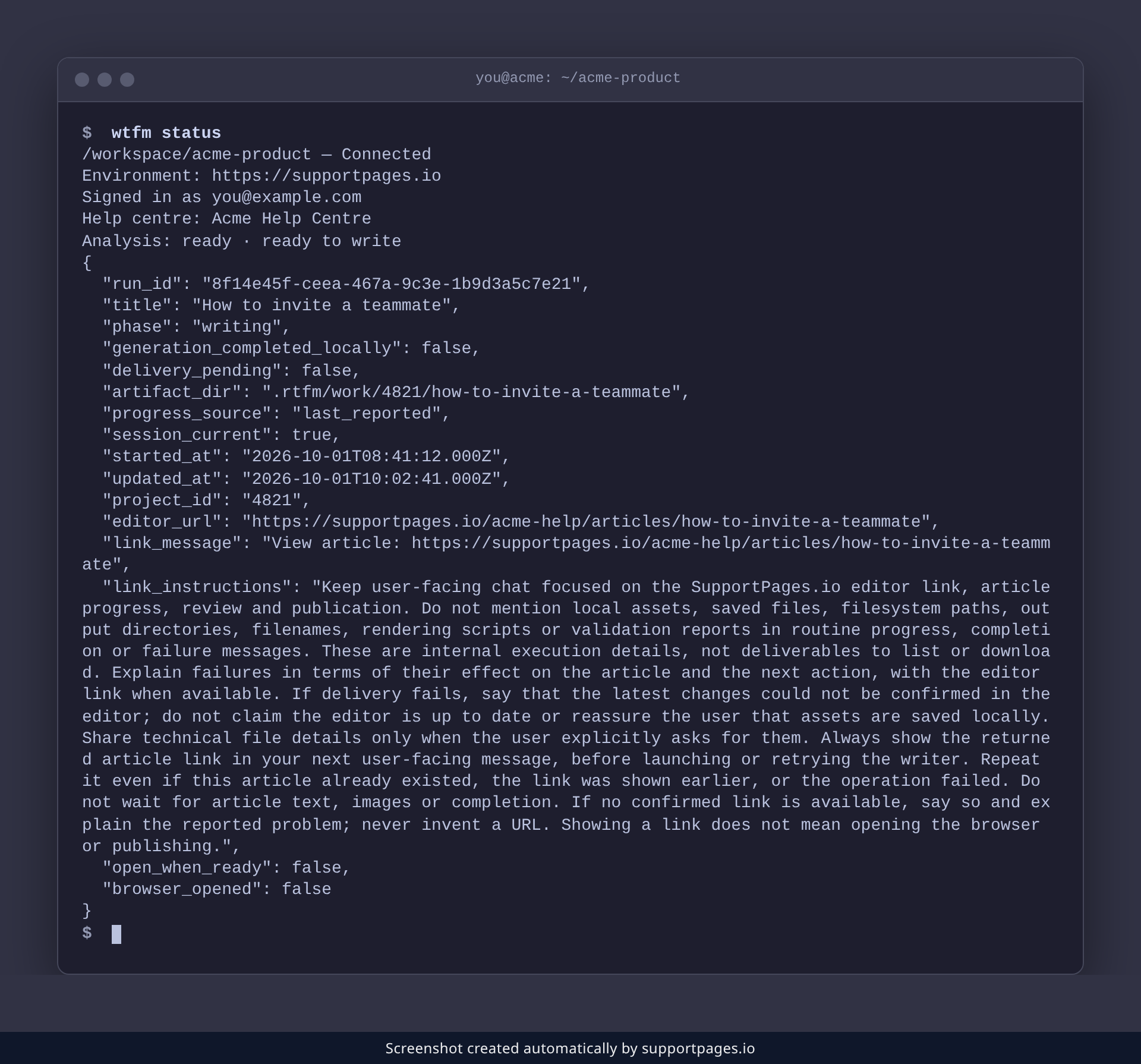
Tips
- If the article stopped because a permission prompt was denied, approve it and ask your agent to continue again.
- Do not start the article from scratch — that creates a second run for the same title.
Summary
Your work is not lost. WTFM saves the run, so asking your agent to continue resumes the same article from where it stopped.
Was this article helpful?
Created with supportpages.io — AI help centre software.
Have a question?
Search our articles, or ask and get an answer straight away.