
Setup won't finish — what to check
Updated about 2 months ago
Browse All
A setup that looks stuck is usually doing one of two things: quietly downloading the browser it uses for screenshots, or waiting for an answer from you. A quick check tells you which one it is — and clears it.
What Setup needs
- Git installed and available in your terminal.
- Claude Code or Codex installed, so its command runs here.
- A normal terminal window you can type in — Setup's questions need one.
Checks and fixes
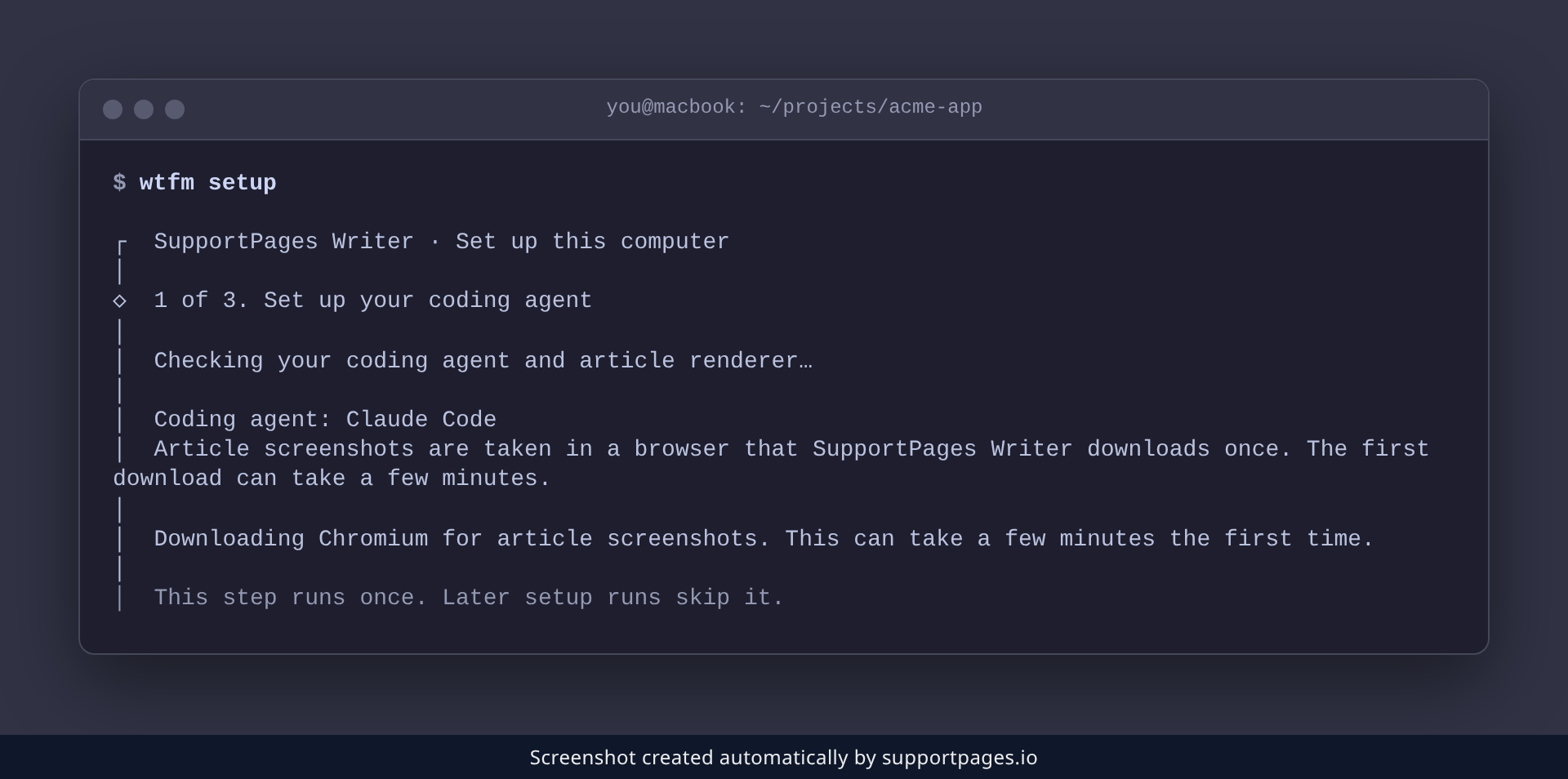
Give the browser download time to finish
On its first run, Setup offers to download the browser it uses to take screenshots. That download is the one slow step — a few minutes is normal. Accept the download and leave the window open; Setup keeps printing as it works.
Approve the sign-in in your browser
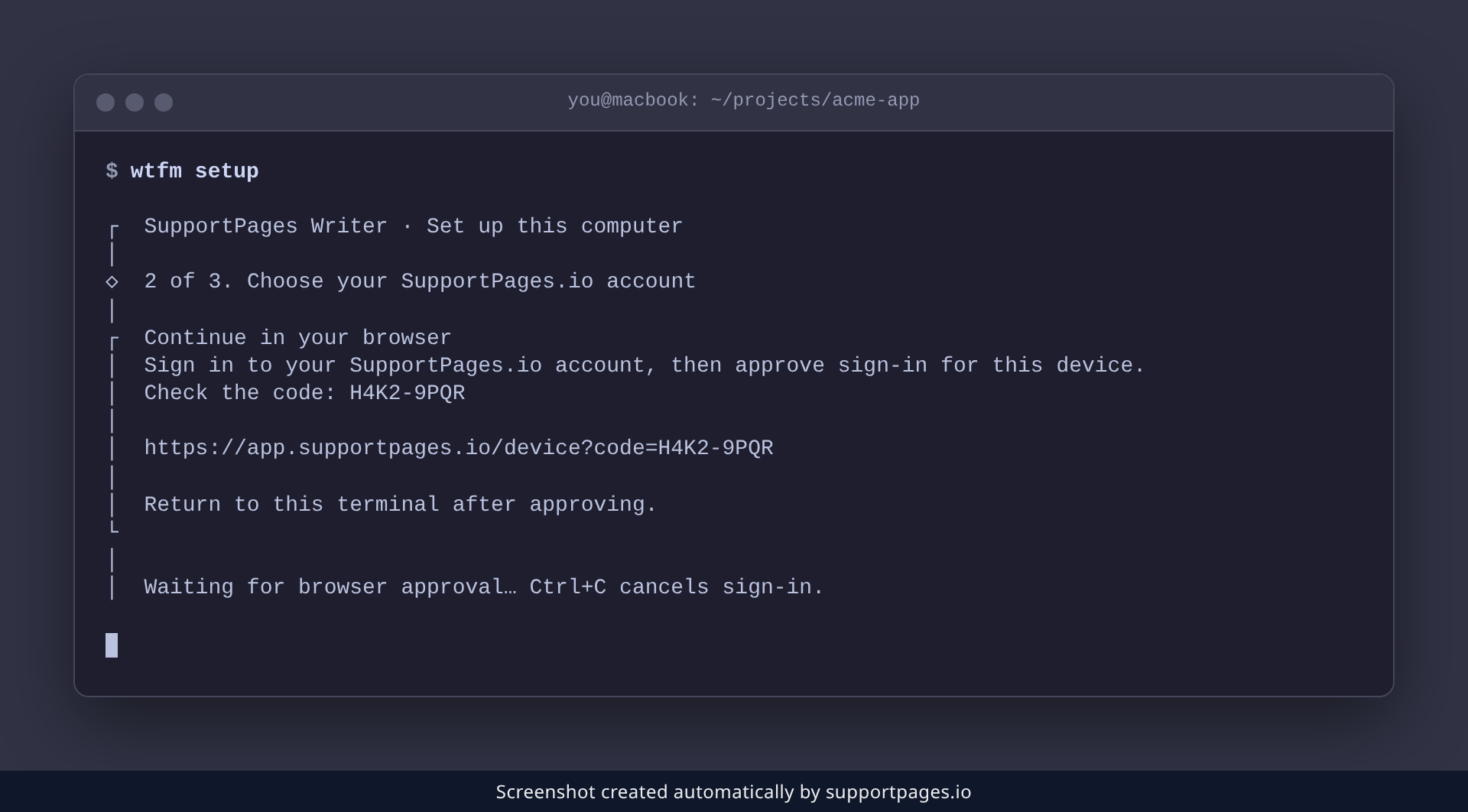
If you chose to sign in, Setup opens your browser and shows a short code. Approve the sign-in there, then come back to the terminal — it is only waiting on that browser step.
Run the readiness check
Still not finishing? wtfm doctor lists everything Setup needs and flags anything that is missing. Run it and look for a line that starts with Missing.
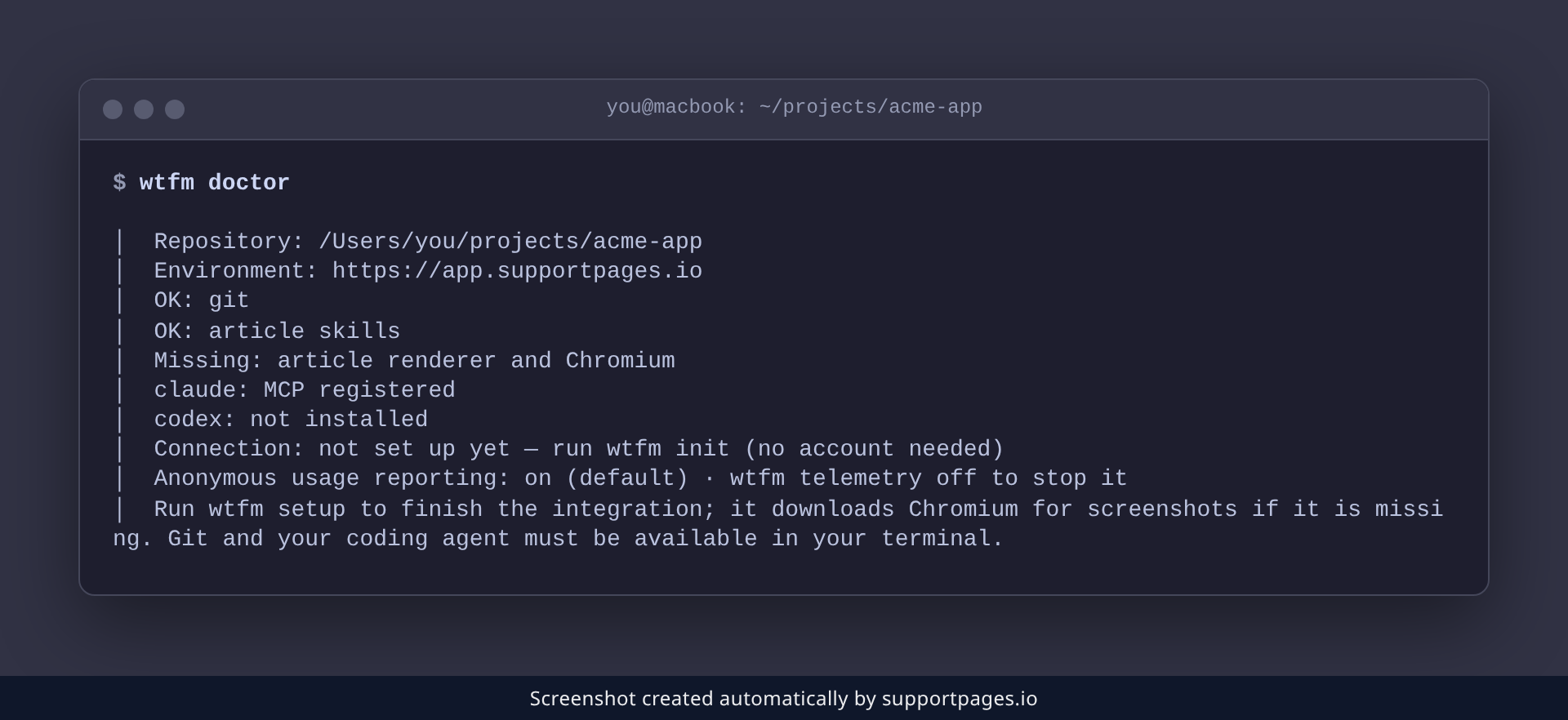
Install what doctor reports missing
If Git is missing, install it with your system package manager. If your coding agent isn't found, install Claude Code or Codex and make sure its command runs in this terminal. Then run Setup again — it keeps anything that already finished.
Tips
-
wtfm doctoris the quickest way to see what Setup still needs. -
Setup keeps completed steps, so running
wtfm setupagain picks up where it stopped. - Interactive questions don't work in a background or non-interactive shell — run Setup in a normal terminal window.
Summary
Most setups that look frozen are just the first browser download or a question waiting on your answer. When something really is missing, wtfm doctor names it — install it and run wtfm setup again.
Was this article helpful?
Built with supportpages.io — SaaS documentation software.
Have a question?
Search our articles, or ask and get an answer straight away.