
How to delete an article
Updated about 2 months ago
Browse All
Help centres go stale one outdated guide at a time. When a guide no longer matches your product, ask your coding agent to delete it — SupportPages asks you to confirm first, and keeps the article aside so you can restore it later.
Before you start
-
WTFM set up on this computer and in this project (
wtfm setup, thenwtfm init) -
Claude Code or Codex open in the project — restart it if it was already open when you ran
wtfm setup - The guide is on your SupportPages.io help centre, not only saved in the project
Steps
Find the guide you want to remove
You remove a guide by its title, so it is worth checking the exact one first. Ask your agent what articles you have:
What help articles do we have?
Your agent lists the articles it found, with the folder each one is saved in. Note the title of the guide you want gone.
Ask your agent to delete it
Tell your agent which guide to remove, using the title you just found:
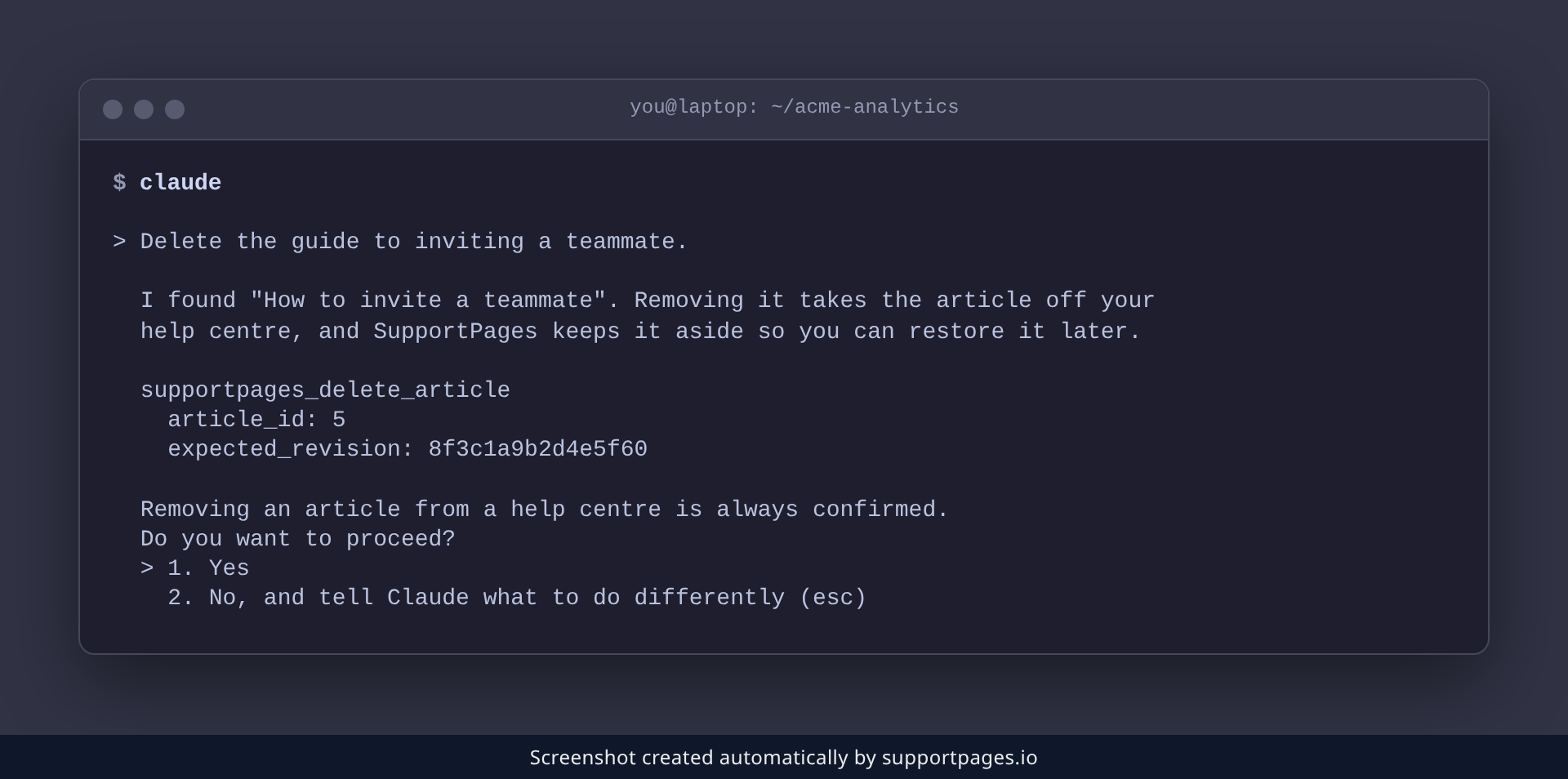
Delete the guide to inviting a teammate.
Your agent reads the article's current version before deleting, so newer edits are never removed by surprise.
Approve the deletion
SupportPages never removes an article on its own. Your agent asks you to confirm before anything happens, so read the title it shows and approve only if it is the guide you meant.
Refresh your project's records
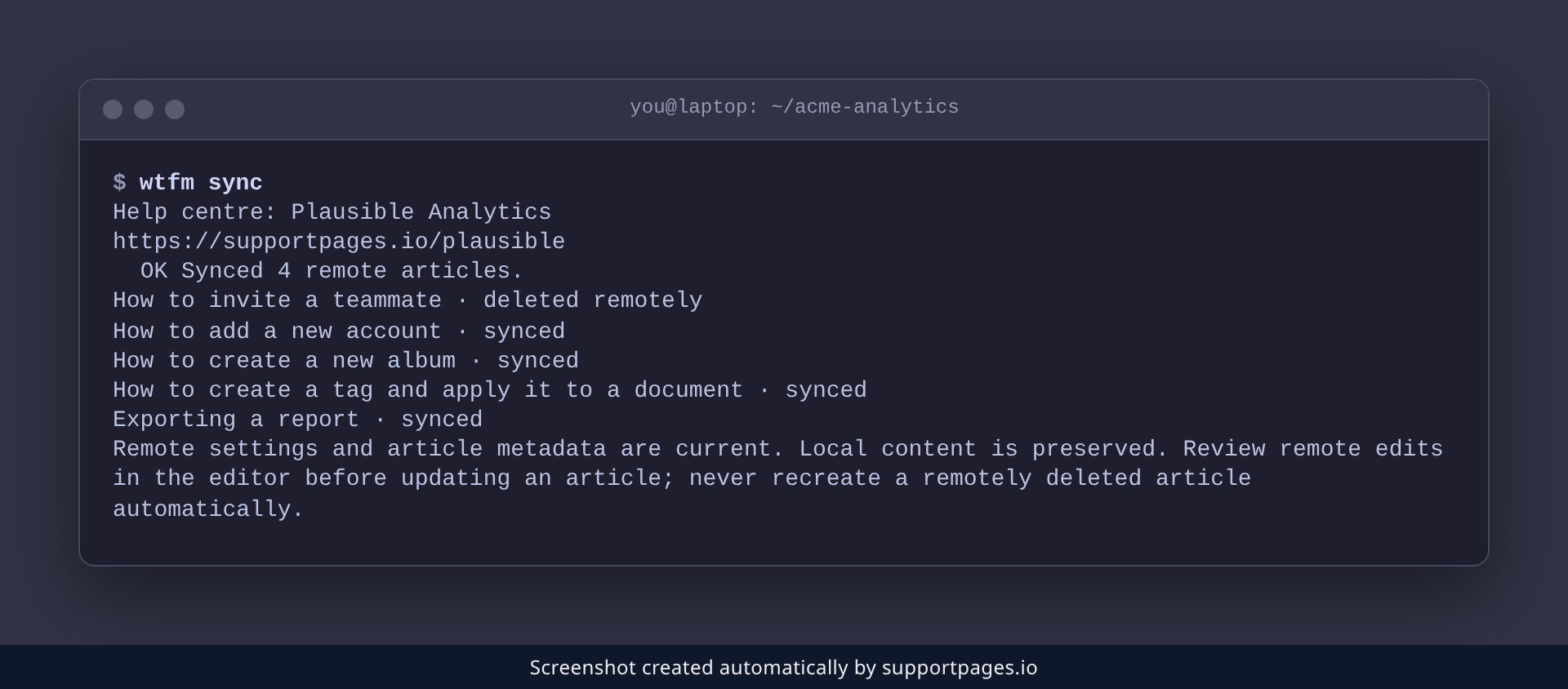
The guide stops appearing in your help centre as soon as the deletion finishes. Run wtfm sync to bring your project's records up to date:
wtfm sync
The guide is now listed as deleted remotely, and its saved files are left untouched in your project.
Tips
- Changed your mind? A deleted article is kept aside for a while, so you can restore it in SupportPages.io instead of writing it again.
-
A guide saved only in your project was never uploaded — it is just a folder,
output/articles/<slug>/, with anindex.mdand its screenshots. - To take a guide out of the public help centre without deleting it, ask your agent to unpublish it. It stays as a draft you can publish again.
Summary
Ask your agent, confirm the title, and the guide is out of your help centre — with a way back if you need it.
Was this article helpful?
Generated automatically by supportpages.io — AI knowledge base software for SaaS teams.
Have a question?
Search our articles, or ask and get an answer straight away.