
How to find documentation gaps
Updated about 2 months ago
Browse All
Even a healthy help centre has holes in it — features that shipped without anyone writing them up. Ask your coding agent to compare what your product does against the articles you already have, and it comes back with the gaps worth filling.
Before you start
-
WTFM set up on this computer, with
wtfm setup. -
This project set up once, with
wtfm init. - A SupportPages.io account you're signed in to on this device.
- Your repository connected to that help centre. The comparison reads your code, so it runs on SupportPages.io rather than on your computer.
Steps
Ask your agent to look for gaps
Open Claude Code or Codex in your project folder and ask for the gaps in a plain sentence. There's no command to memorise — say what you want and the agent takes it from there.
Find the documentation gaps in this project.
Sign in if your agent asks
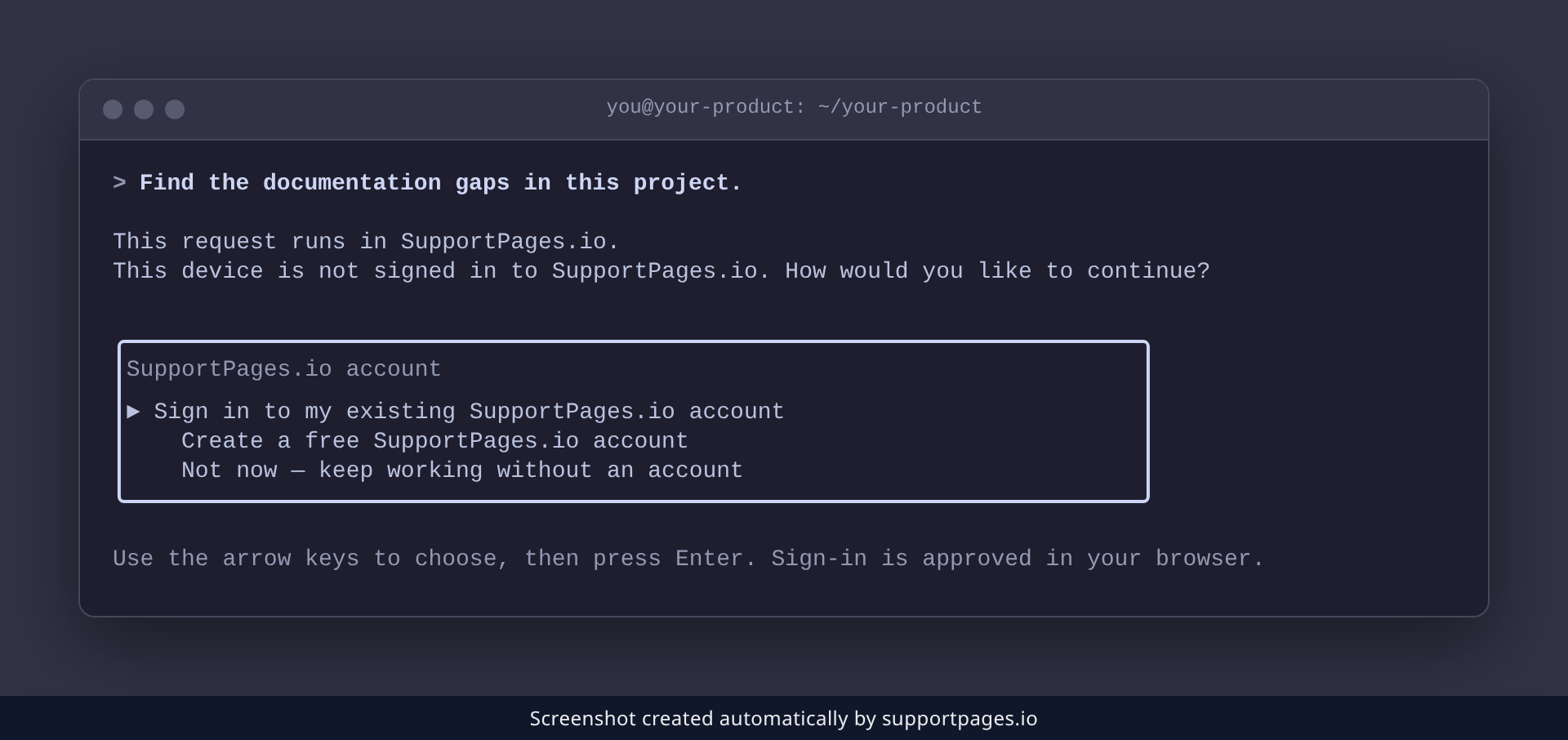
The first time you ask, the agent checks whether this device is signed in yet. If it isn't, it asks how you'd like to continue — choose Sign in to my existing SupportPages.io account, or create one. Your browser opens to approve the sign-in, and the agent shows a short comparison code to check there.
Choose your help centre
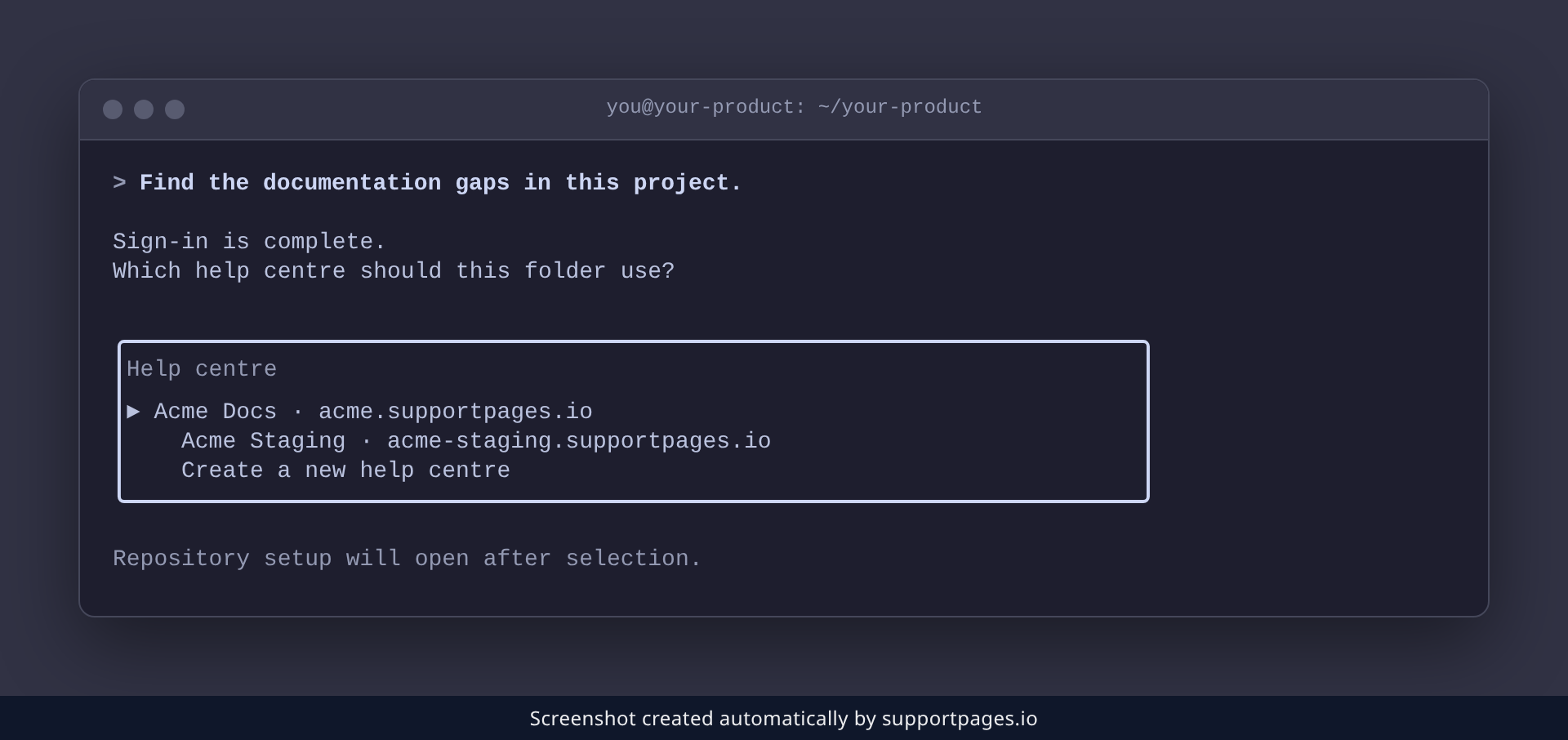
Next, the agent asks which help centre this folder should use. Pick the one whose gaps you want to see, or choose Create a new help centre and name it.
Review what's missing
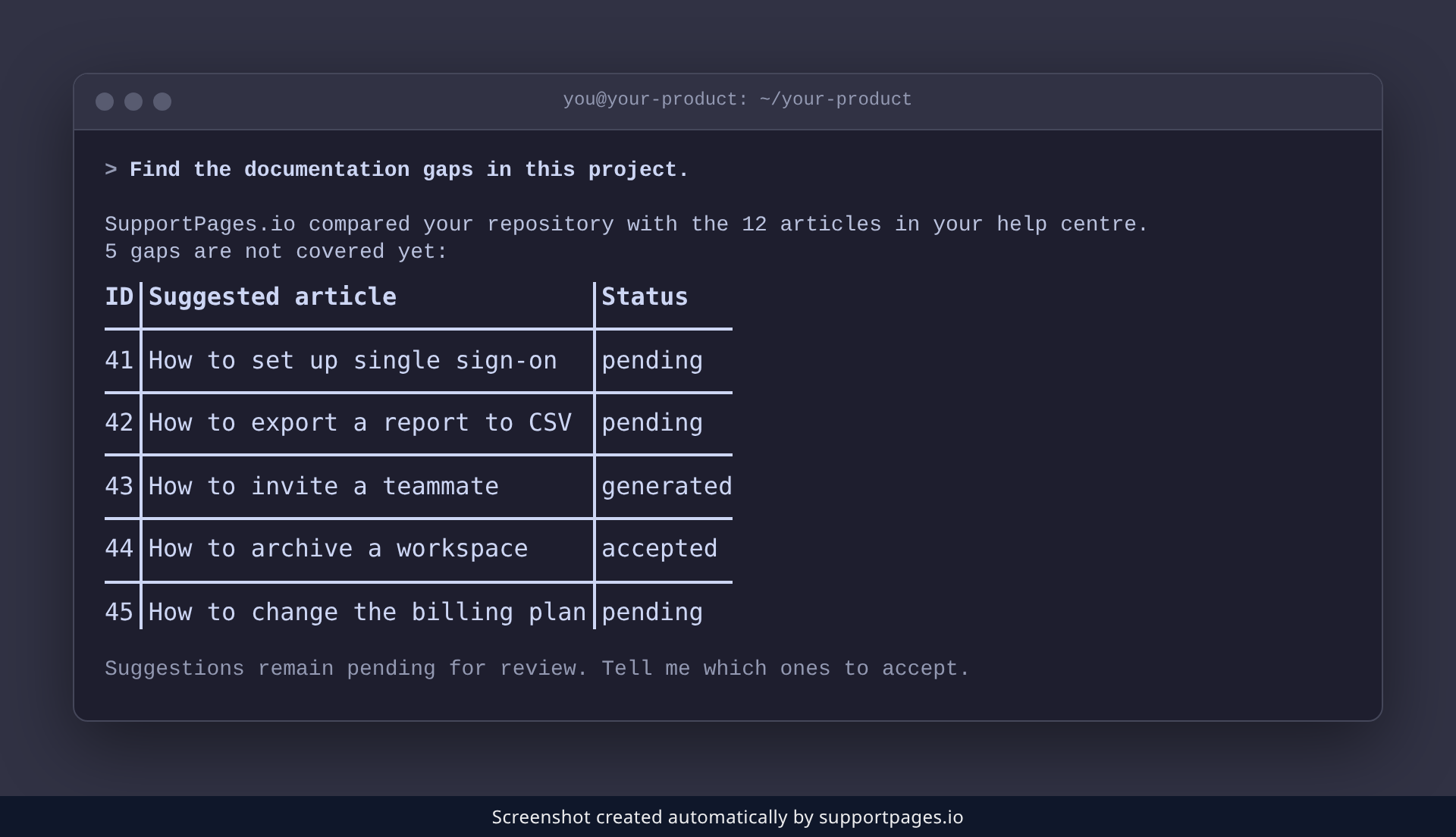
SupportPages.io then compares your repository against everything already in your help centre, and your agent lists what it found. Each suggestion has an ID and a status: pending means the gap is still open. Say which ones to accept, or ask your agent to write one straight away.
Tips
- The same analysis can suggest new sections for your help centre — ask your agent for section ideas too.
- Run it again after a few articles. The list shrinks as you fill the gaps, and new features create new ones.
- Keep your repository connected. SupportPages.io re-checks it as your product changes, so the gaps stay current.
Summary
Ask your agent to find the documentation gaps, sign in and pick your help centre the first time, then work through the suggestions it hands back. Your help centre stops missing the features you've already shipped.
Was this article helpful?
Built on supportpages.io — automated help articles for SaaS products.
Have a question?
Search our articles, or ask and get an answer straight away.