
How to write an illustrated guide with your coding agent
Updated about 2 months ago
Browse All
SupportPages Writer turns your coding agent into the person who finally writes the manual. You ask for a guide in plain words, and the agent reads your project's source, writes the steps for your users, and shows every screen with a screenshot built from your own templates.
Before you start
-
SupportPages Writer installed and set up on this computer —
wtfm setupdoes that once. - Claude Code or Codex installed and signed in.
- Git available in your terminal.
Steps
Set up the project
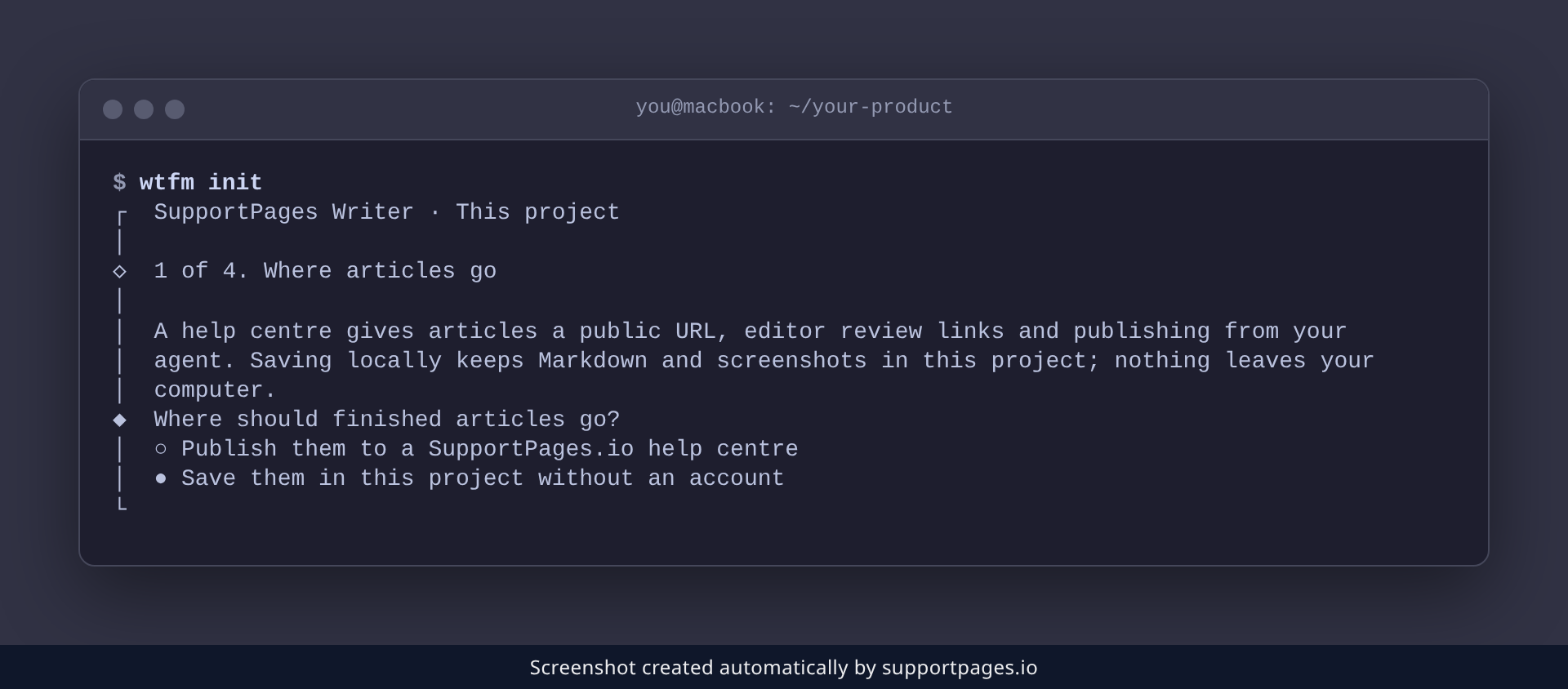
In your project folder, run wtfm init and choose where your finished articles should go. Pick Save them in this project without an account to keep them as Markdown and screenshots beside your code — nothing leaves your computer.
cd path/to/your-product
wtfm init
Ask your coding agent
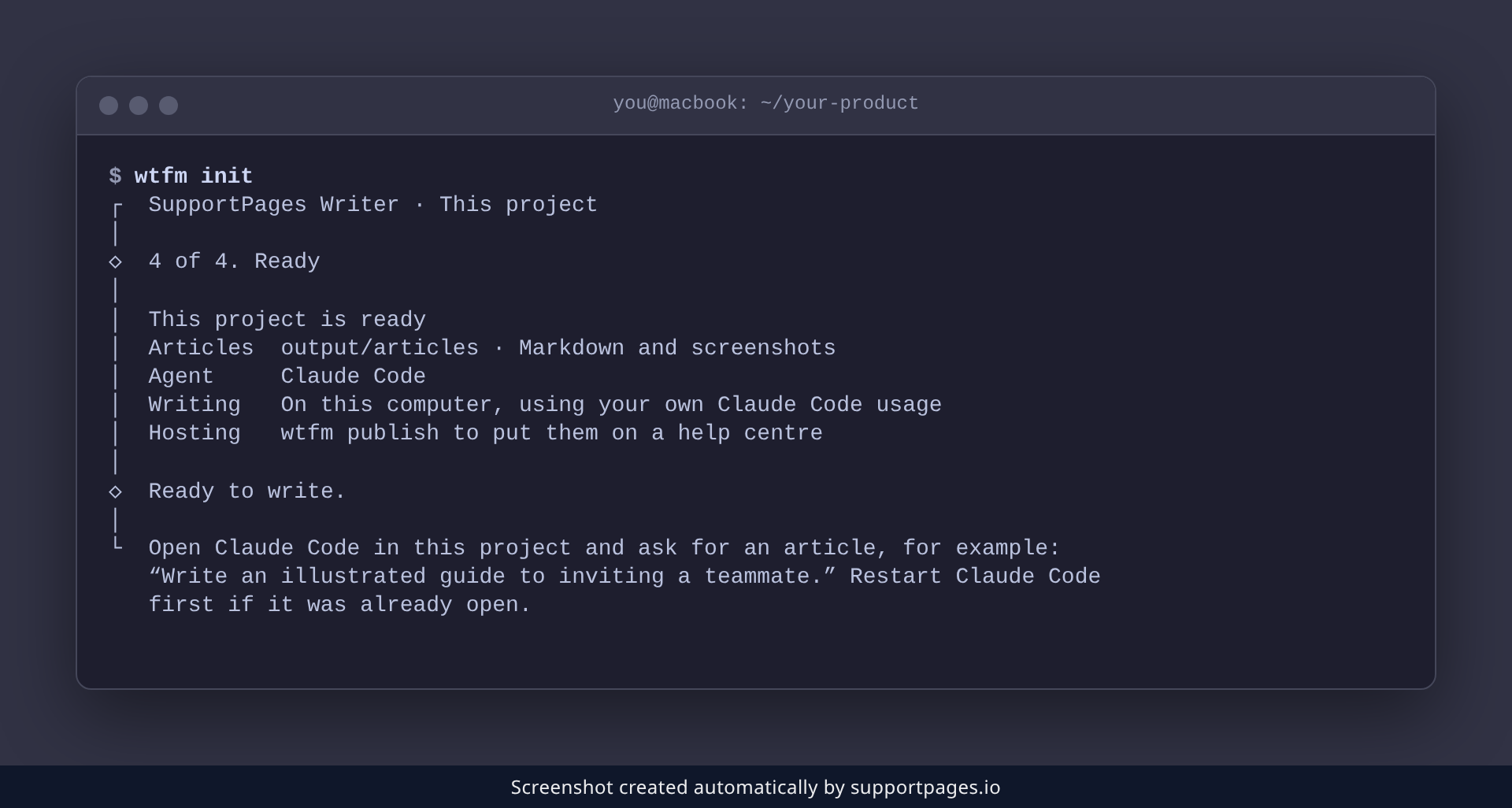
When setup finishes, WTFM says Ready to write and shows you an example request. Open Claude Code or Codex in the project — restart it first if it was already open — and ask in your own words:
Write an illustrated guide to inviting a teammate.
The agent then reads the parts of your source that matter, writes the steps in plain language, and renders each screenshot. A real run takes a few minutes.
Open the finished article
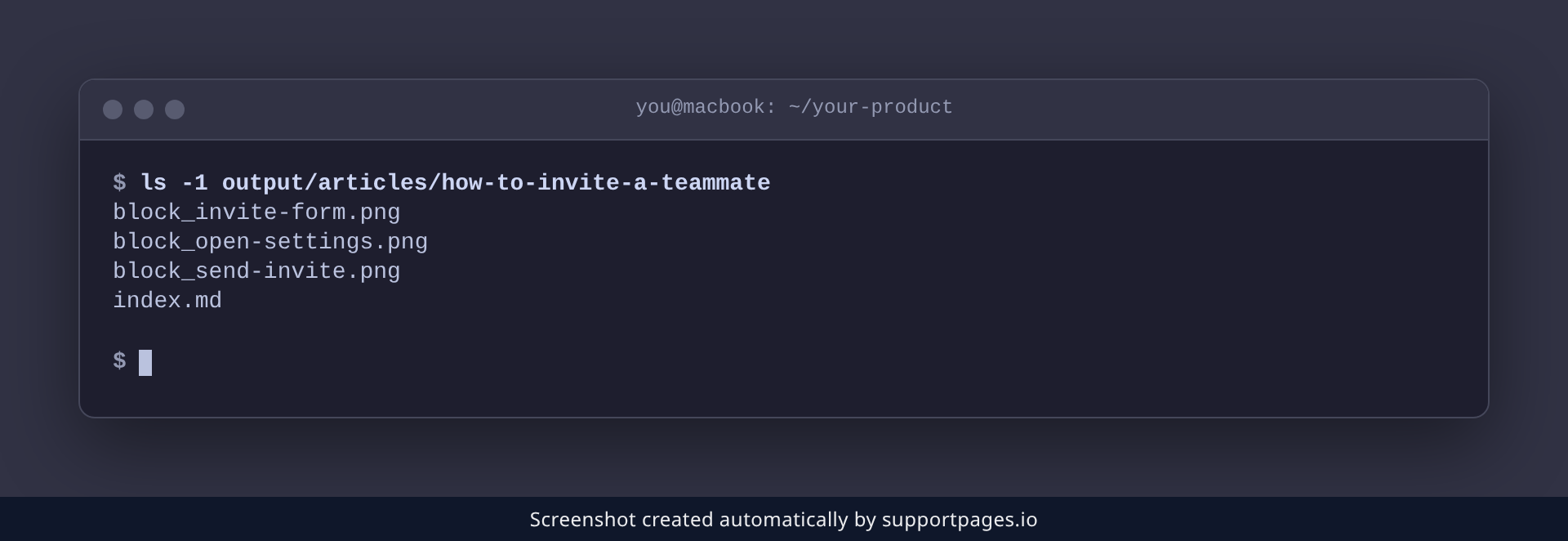
Your article is saved in a folder of its own inside output/articles/, as an index.md with one PNG for each screen. Commit it next to your code, or drop it into any docs site.
output/articles/how-to-invite-a-teammate/
├── index.md
├── block_open-settings.png
├── block_invite-form.png
└── block_send-invite.png
Tips
- Ask for one topic at a time — the sharpest guides cover a single task your users actually do.
- WTFM gives each article up to three screenshots, and the main path gets them first.
-
If a run was interrupted, run
wtfm statusto see where it stopped, then ask your agent to continue. -
Change the article folder or the writing style any time with
wtfm configure. -
Later, run
wtfm publishto host the saved articles on a help centre.
Summary
That's the whole loop: ask in plain words, let the agent read your source, and collect an article with its screenshots. Ask again for the next topic whenever you're ready.
Was this article helpful?
Made by supportpages.io — turning pull requests into automated user documentation.
Have a question?
Search our articles, or ask and get an answer straight away.