
How to write your whole manual at once
Updated about 2 months ago
Browse All
Instead of asking for one guide at a time, let SupportPages.io write the whole manual in a single pass. Run wtfm yolo and it reads your repository, plans your help centre, and drafts every guide your users need — all in one go.
Prerequisites
-
WTFM set up on this computer with
wtfm setup, and this project pointed at a help centre withwtfm init. -
A SupportPages.io account. If you are not signed in yet,
wtfm yolowalks you through the browser sign-in. - The repository connected to your help centre, so SupportPages.io can read your code.
- Article allowance on your plan — free plans cover ten guides.
Steps
Start the run
Open your project folder in the terminal and ask for the whole manual:
wtfm yolo
WTFM signs you in if needed, confirms which help centre to write for, and then shows you the plan before anything is written.
Confirm the plan
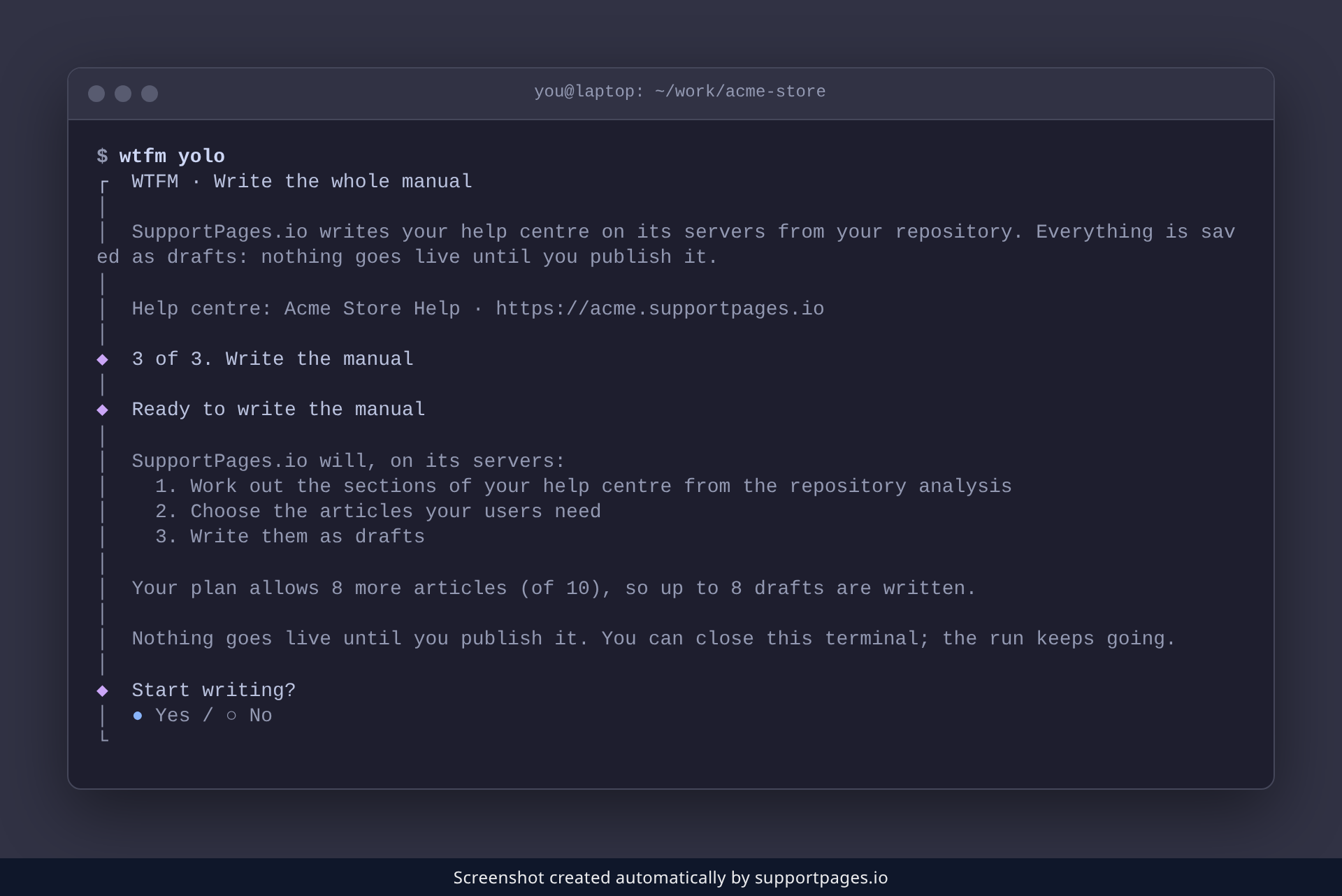
SupportPages.io sets out what it is about to do and how many drafts your plan allows. At the Start writing? prompt, press Enter to begin.
Watch it write
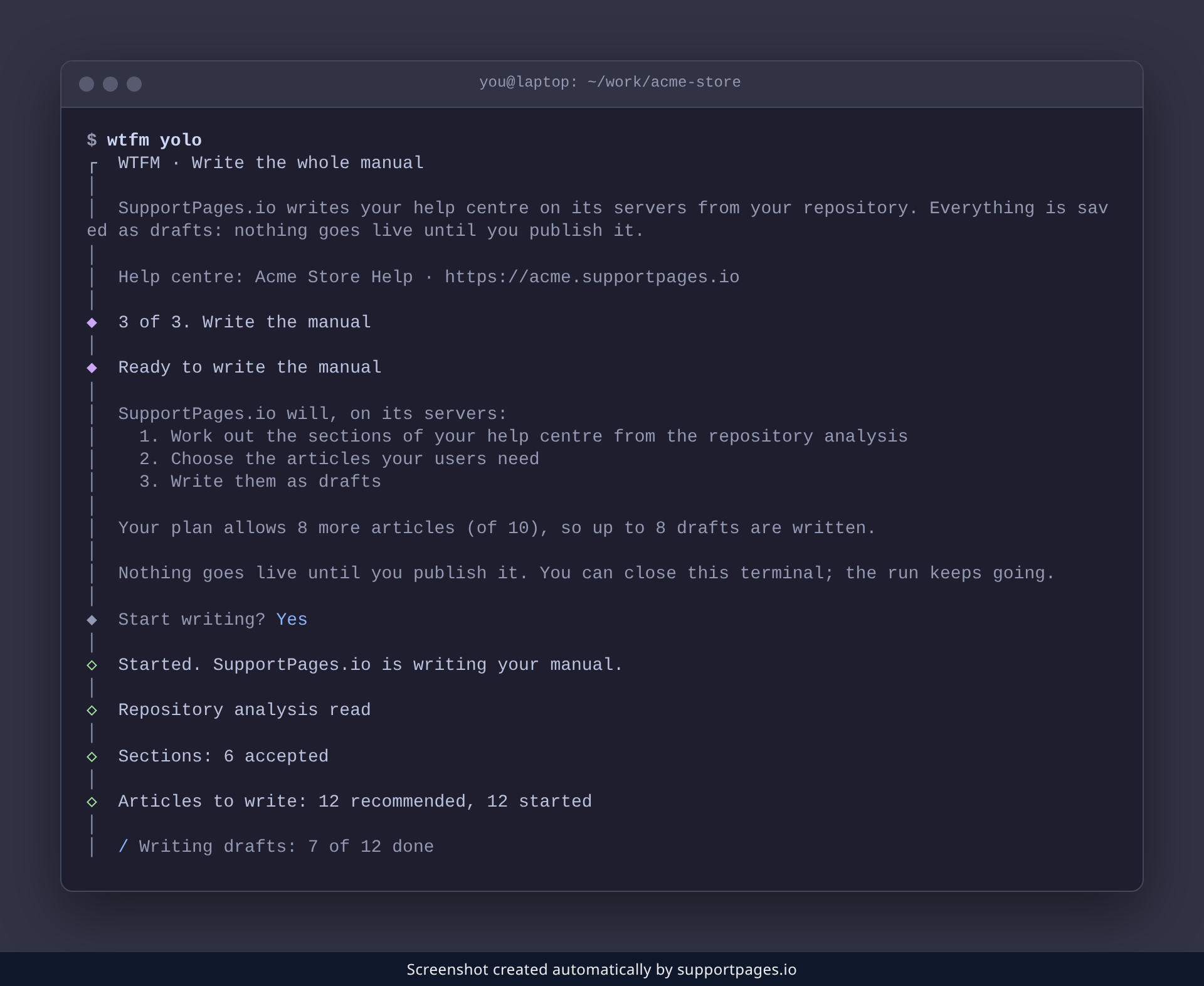
SupportPages.io analyses the repository, works out your sections, picks the articles to write, and drafts them one by one — reporting progress as it goes. You can close the terminal whenever you like; the run keeps going on SupportPages.io.
Review your drafts
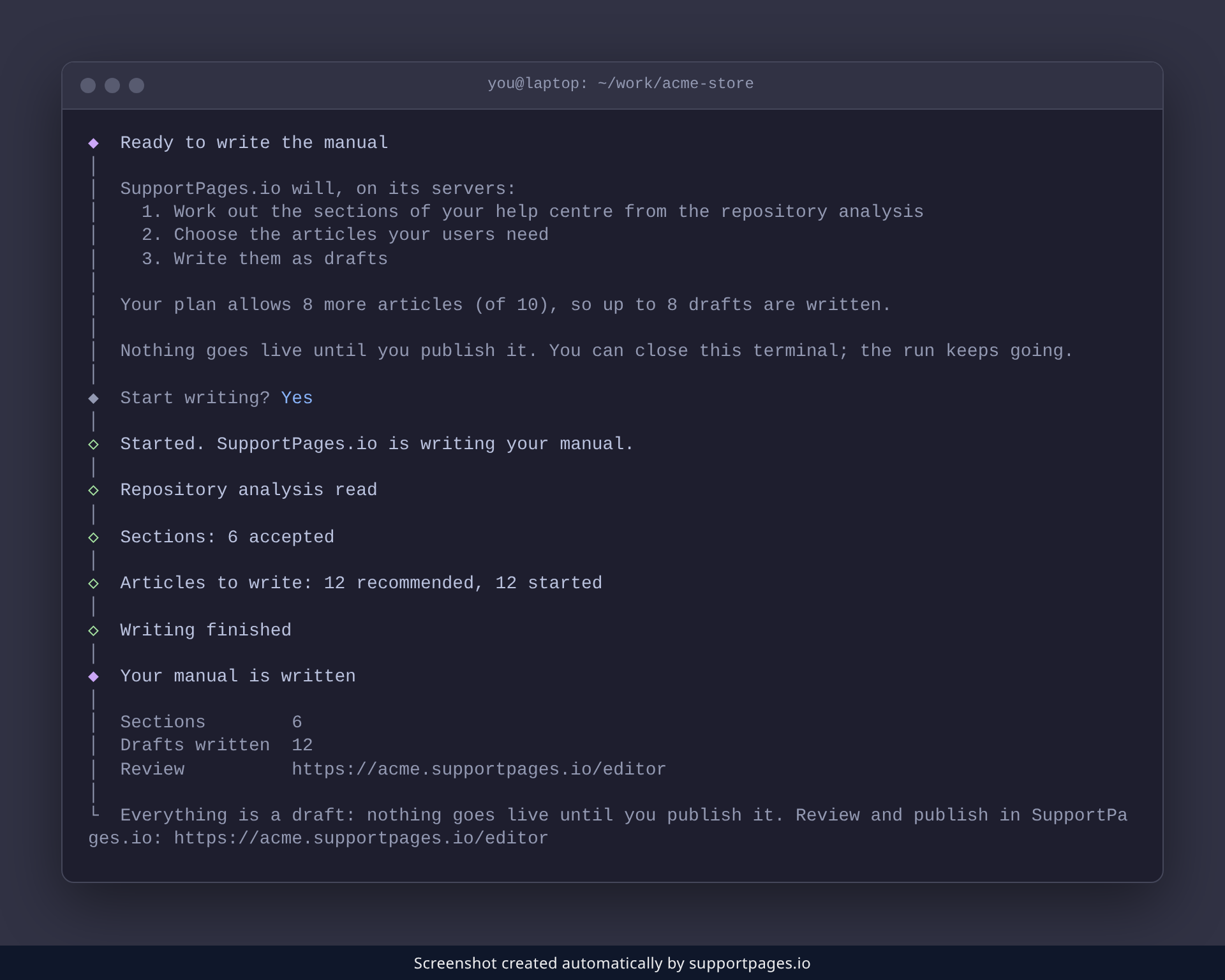
When the run finishes, WTFM shows a Your manual is written summary with your totals and a Review link. Open that link in SupportPages.io to read every draft — nothing goes live until you publish it.
Tips
-
Run
wtfm statusat any time to see where the run got to, even from another terminal. -
If a run stops partway, run
wtfm yoloagain — it resumes and keeps the drafts already written. - Every guide lands as a draft, so you can edit or delete any of them before publishing.
-
Prefer a different voice? Set your writing style with
wtfm configurebefore you run.
Summary
Run wtfm yolo, confirm the plan, and SupportPages.io writes your whole manual as drafts in one pass. Review them in SupportPages.io, then publish the ones you are happy with.
Was this article helpful?
Built with supportpages.io — SaaS documentation software.
Have a question?
Search our articles, or ask and get an answer straight away.